Chef 360 Platform update overview
To keep your Chef 360 Platform environment secure, reliable, and up to date, update both the platform and your skills regularly. This page provides guidance and links to relevant documentation.
Note
Update Chef 360 Platform
Updating Chef 360 Platform ensures you have the latest features, security updates, and bug fixes. For detailed steps and release information, see the release notes and system requirements.
To update Chef 360 Platform, follow these steps:
- Review the release notes for new features, changes, and update instructions.
- Check the system requirements to make sure your environment meets the prerequisites for the latest version.
- Update Chef 360 Platform and the node skills using the supported update path. You can update manually in an internet-connected environment or perform an air-gapped update.
Supported update path
Before upgrading Chef 360 Platform, find your current version in the table below to confirm your required upgrade path. Versions 1.7.0 and 1.7.1 are mandatory upgrade checkpoints—you can’t skip them, even if your target version is later.
| Current version | Target version | Required upgrade path |
|---|---|---|
| Any version <= 1.6.x | 1.7.0 | Upgrade directly to 1.7.0 |
| Any version <= 1.6.x | 1.7.1 | Current version –> 1.7.0 –> 1.7.1 |
| Any version <= 1.6.x | 1.7.2 or later | Current version –> 1.7.0 –> 1.7.1 –> target version |
| 1.7.0 | 1.7.1 | Upgrade directly to 1.7.1 |
| 1.7.0 | 1.7.2 or later | 1.7.0 –> 1.7.1 –> target version |
| 1.7.1 | 1.7.2 or later | Upgrade directly to target version |
Configure automatic updates
You can configure Chef 360 Platform to update itself automatically. You can configure a cadence for Chef 360 Platform to check for new releases and configure it to update only certain update types, for example patch releases.
Check for updates manually in the Admin Console
To manually check for and install an update to Chef 360 Platform:
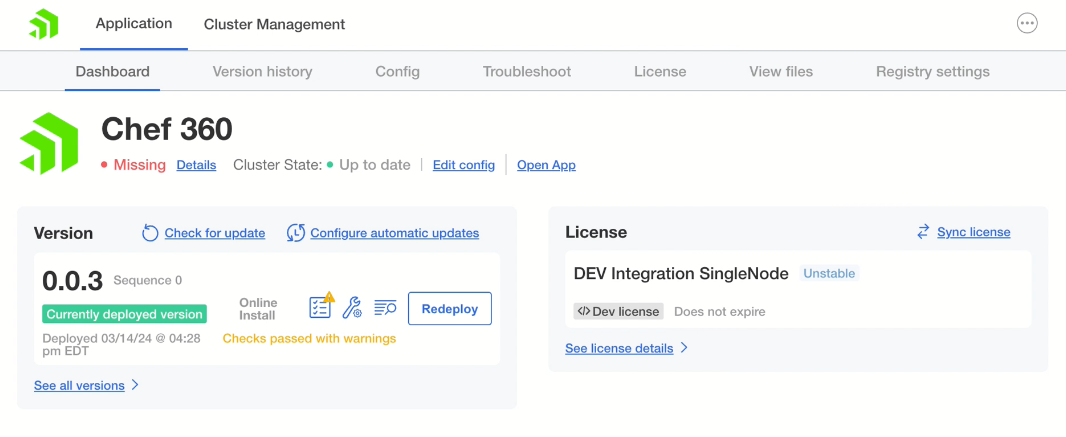
Log in to the Chef 360 Platform Admin Console and select Check for update.
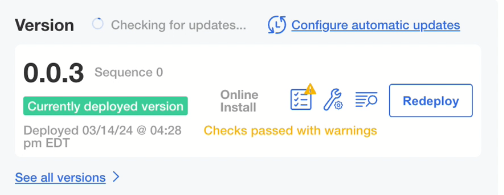
The screen updates to say Checking for updates….
When Chef 360 Platform Server locates an update, it performs the following tasks:
- It installs the new version.
- It updates the version number, deploy date, and deploy time.
- It advances the sequence number by one.
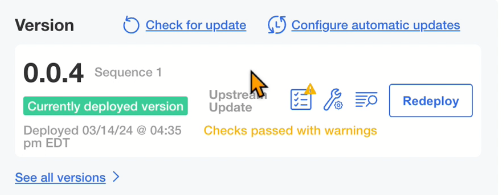
Manually updating of the Chef 360 Platform Server cluster is complete.
Note